Inside Git: working and .git Folder
Internal Working —
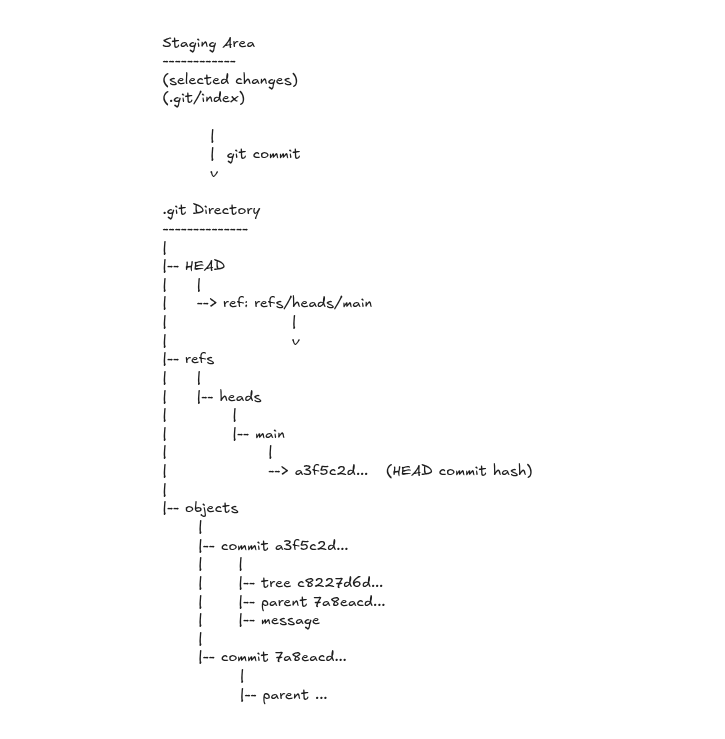
Let’s go through the internal working of git (how git does it) and how we can verify it using few commands
From the
.gitdirectory, Git always starts fromHEAD.Here, there’s reference to the current branch
refs/heads/main(somainis taken as the branch)Next, git goes to
.git/refs/headsand looks for the file that matches the branch name it got fromHEAD.Here, it reads
commit hashstored inmainwhich is of theHEADcommit of the repository.Now, onto the actual commit data
inside
objects(.git/objects), the info of these commits is stored, like so: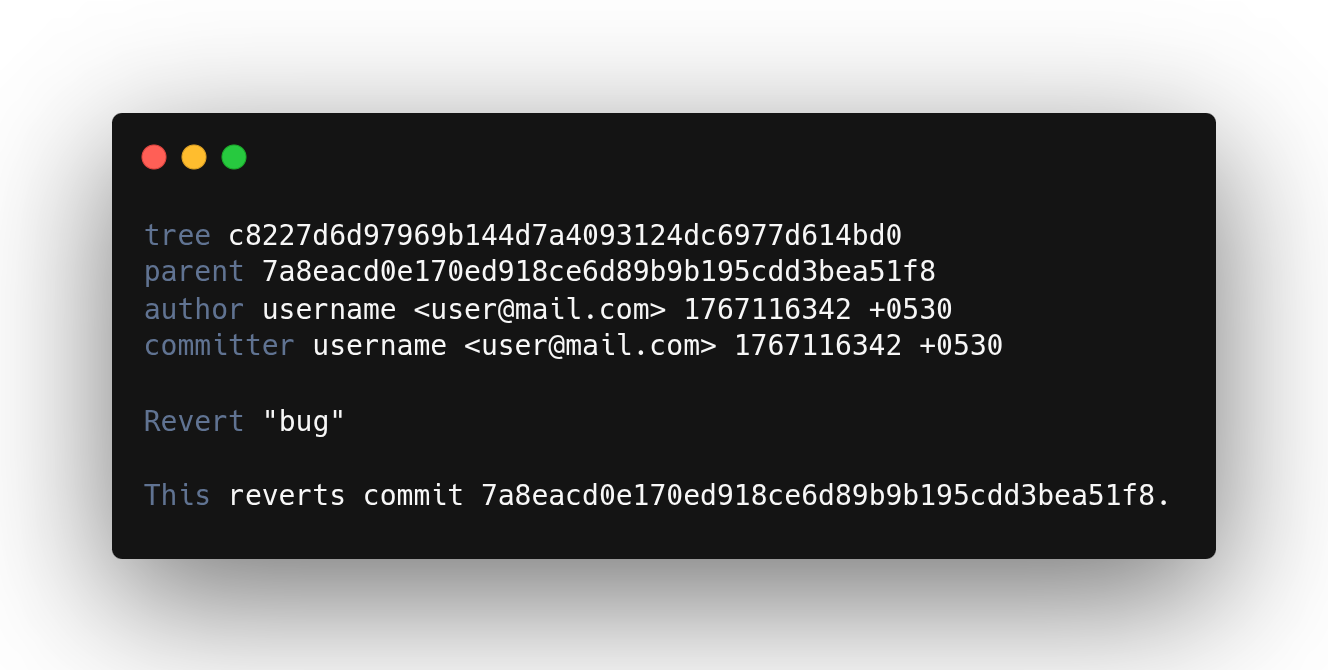
Further from this parent commit, git moves to its previous commit and so on.
This is the
internal working of git and how entire commit history connects.Git stores commits as
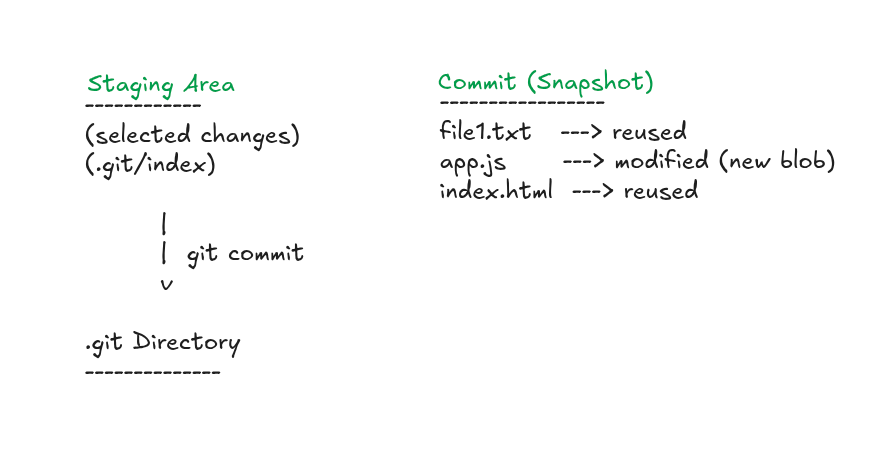
snapshots, while reusing unchanged data, so only new or modified content takes up space. (only changes are kept)We can
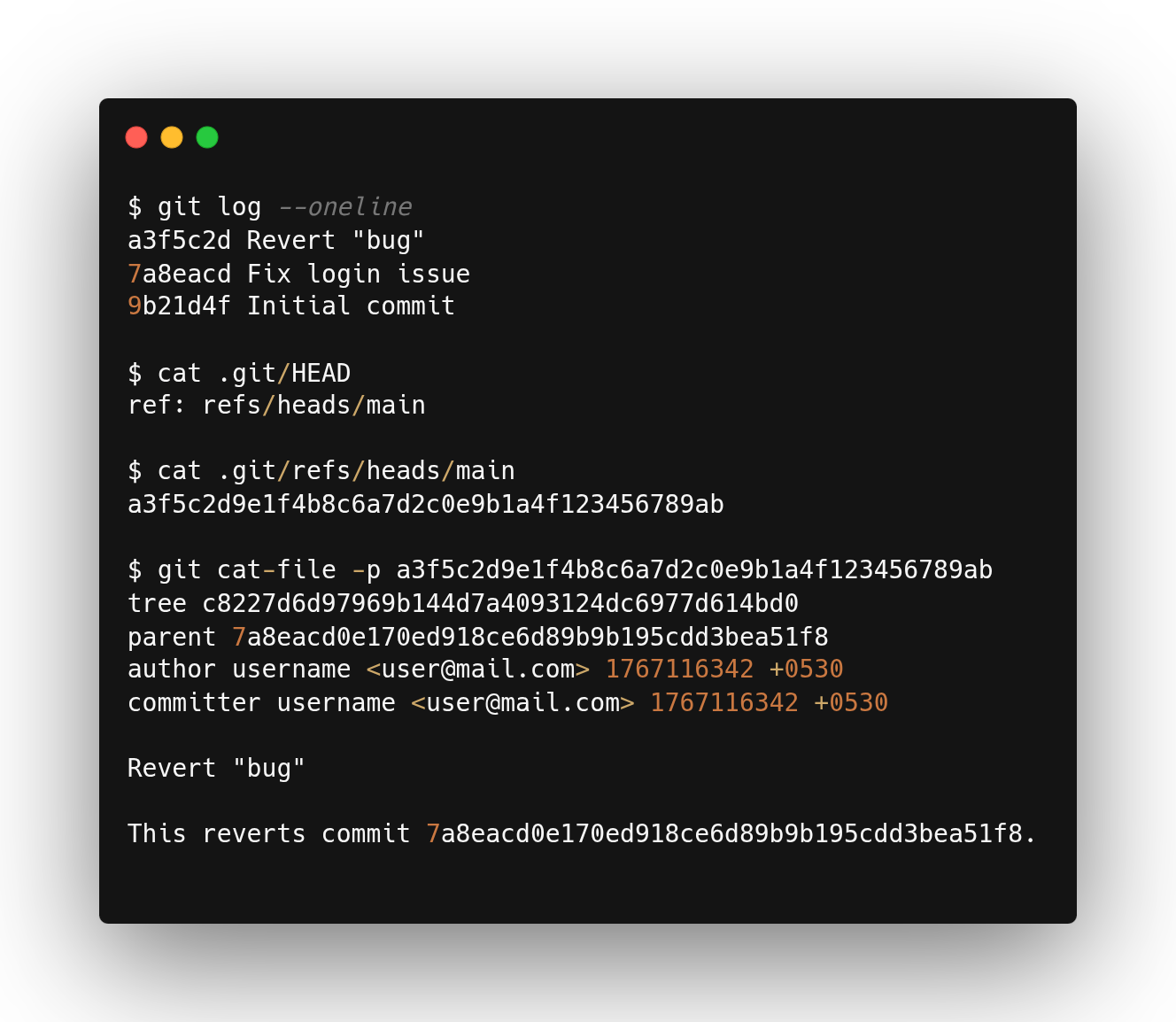
verifywhat Git is doing using these commands:cat .git/HEAD cat .git/refs/heads/main git cat-file -p <commit-hash>
.git directory —
.git is special directory created when we run the command git init.
It is hidden by default to discourage manual changes inside it. Without the .git directory, the project is no longer a Git repository.
We do ls -a to view it. It holds all records, history and metadata related to the repository.
how git commands use .git
git branch
reads.git/HEADand then followsrefs/heads/mainto determine the current branch.git add
Changes are moved to thestaging area, making them ready to be committed.git commit
creates a new commit object, stores staged changes inside.git, and generates aunique hashfor the commit. Each hash maintainsintegrityand keepsreferenceto itsparent commit.